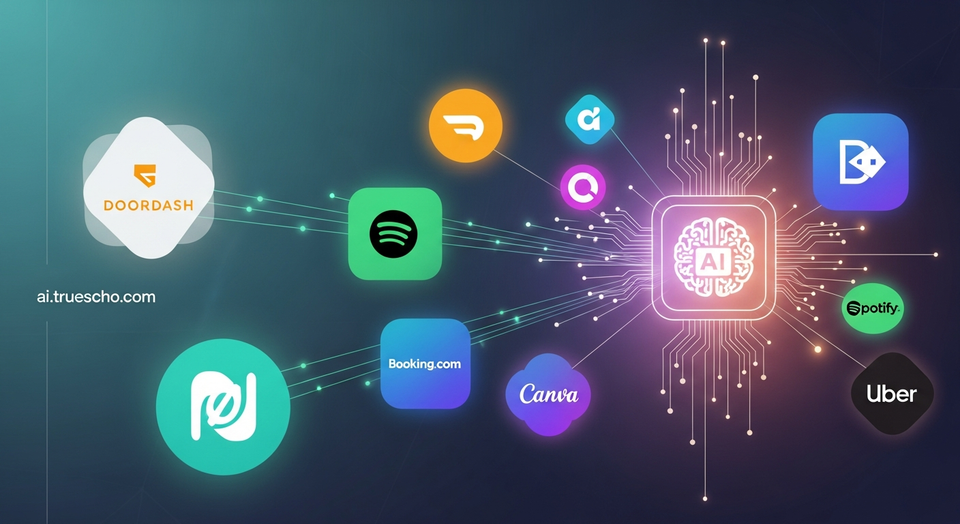
ChatGPT’s app integrations are designed to let the assistant connect directly to services you already use, so it can help you complete tasks—like building a Spotify playlist that appears in your Spotify account or assembling a DoorDash grocery cart from a meal plan.
What are ChatGPT app integrations?
App integrations in ChatGPT let you link supported third-party accounts to the chatbot. Once connected, you can ask ChatGPT to surface content from those services (like travel options or courses) and, in some cases, take actions for you (like adding items to a library or cart). The overall goal is to reduce the back-and-forth of switching between apps and to make requests feel more conversational than filling out forms or running multiple searches.
These integrations can be especially useful when you want to:
- Turn a vague request into a structured output (a course shortlist, a trip plan, a design draft, or a playlist).
- Apply constraints quickly (budget, dates, ratings, formats, or dimensions) without digging through filters.
- Move from idea to execution faster, then jump into the original service to finalize details.
How to connect an app to ChatGPT
You have two straightforward ways to get started, depending on whether you prefer setting up on demand or organizing everything in advance.
Option 1: Start from your prompt
First, make sure you’re logged into ChatGPT. Then, begin your prompt with the name of the app you want to use. ChatGPT will guide you through the sign-in flow and help you connect your account.
Option 2: Connect apps from Settings
If you’d rather set up multiple apps at once, open Settings, then go to Apps and Connectors. From there, you can browse the available options, choose the services you want, and you’ll be taken to each app’s sign-in page to link accounts.
How to disconnect an app
You can remove an integration whenever you want. ChatGPT allows you to disconnect apps directly from the Settings menu, which is useful if you stop using a service or want to limit what ChatGPT can access.
Privacy and permissions: what you’re sharing when you connect
Linking an account isn’t just a convenience feature—it also means you’re granting ChatGPT access to certain data from that app. Before you approve anything, it’s worth slowing down and reviewing the permissions on the authorization screen.
TechCrunch’s reporting highlights Spotify as an example: if you connect Spotify, ChatGPT can access personal details such as your playlists, listening history, and other information tied to your account. That data can help the assistant personalize recommendations, but it may also feel too intrusive for some users.
If you’re unsure, consider a simple checklist before you connect:
- Scope: What specific data is being shared (history, saved items, purchases, bookings)?
- Actions: Can ChatGPT only read data, or can it also modify your account (add/remove items, create content, build carts)?
- Comfort level: Are you okay with the assistant using that data to personalize results?
- Reversibility: Do you know how to disconnect the app if you change your mind?
Available ChatGPT app integrations and what you can do with them
Below is a practical look at several of the apps highlighted in the report, along with examples of the kinds of requests you can make once your accounts are linked.
Booking.com: faster hotel discovery for your next trip
The Booking.com integration is positioned as a travel helper, particularly for travelers who want suggestions and don’t want to wade through pages of listings. After linking your Booking.com account, you can ask ChatGPT to find hotels in a chosen city based on your dates and budget.
You can add constraints that would normally require multiple filters, such as:
- How many people are traveling
- Whether you want a hotel near public transport
- Specific inclusions like “with breakfast included”
When you spot a property you like, you’ll still open the Booking.com listing to complete the reservation. In other words, ChatGPT helps you narrow options and discover matches, while the final booking step happens in Booking.com.
Canva: generate design starting points inside a chat
Canva’s integration focuses on helping people produce visual content quickly, whether they’re professional designers or just trying to create something usable for a social media post, poster, or presentation. The integration is described in Canva in ChatGPT.
After connecting your Canva account, you can ask ChatGPT to draft a design brief and output, such as:
- “a 16:9 slide deck about our Q4 roadmap”
- “a fun poster for a dog-walking business”
You can also specify creative constraints—like your preferred fonts, color schemes, formats (Instagram posts or stories), and precise dimensions. The report notes that AI-generated designs aren’t always flawless and can include distorted imagery or spelling errors. Still, many users may find it helpful as a “blank page” alternative, then refine the result directly in Canva.
Coursera: find courses that match your level and goals
If you’re trying to choose from a large catalog of online education options, the Coursera integration is designed to speed up discovery and comparison. Coursera describes the feature in Coursera’s integration.
One example from the report: you can ask ChatGPT to find an “intermediate-level course on Python,” then have it compare options by rating, duration, and cost before you enroll. ChatGPT can also summarize what each course covers to help you make a quicker decision.
DoorDash: meal planning that can become a grocery cart
DoorDash’s ChatGPT integration is framed as a time-saver for meal planning and grocery shopping. DoorDash says the feature is newly launched in its announcement. The idea is that you can ask ChatGPT for a meal plan and then instantly add the ingredients to your DoorDash cart, review the cart, and proceed to checkout.
Availability details matter here: the report says this feature is currently available only to users in the U.S. and works with participating grocery retailers, including Kroger, Safeway, Fairway Market, Wegmans, and more.
Expedia: browse flights and hotels without leaving the chat
With Expedia, ChatGPT can show flight and hotel options in the conversation, reducing the need to hop between tabs while you’re still exploring. Expedia outlines the feature at Expedia.
You can ask for trips based on your travel dates, budget, and number of travelers, then refine the results with constraints like “Only show 4-star hotels.” As with other travel integrations, once you decide what you want, you’ll move over to Expedia to finalize and book.
Figma: turn brainstorming into diagrams and roadmaps
Figma’s integration is aimed at quickly translating ideas into visual artifacts—diagrams, flow charts, and other structured visuals. Figma describes the concept in Figma in ChatGPT.
Beyond diagrams, the report says you can upload files and ask ChatGPT to generate a product roadmap for your team, including milestones, deliverables, and deadlines. That can be useful if you’re trying to organize scattered notes into a plan your team can review and discuss.
Spotify: create playlists, get recommendations, and manage your library
Spotify is one of the clearest examples of how an integration can blend personalization with actions. Once connected, ChatGPT can help you build playlists quickly—based on a mood, a theme, or even constraints like “only includes tracks by your favorite band.”
According to the report, it can also recommend new artists, playlists, audiobooks, and podcast episodes. In addition, ChatGPT can take actions within Spotify, including adding and removing items from your Spotify library.
Tips for getting better results from integrations
Because these features translate natural language into app-specific actions, how you ask matters. A few practical ways to improve the outcome:
- Lead with the app name so ChatGPT routes the request correctly.
- State constraints early: dates, budget, star rating, format, dimensions, or skill level.
- Ask for a shortlist when browsing (for example, “show me 5 options”) to avoid overload.
- Use iterative refinement: after results appear, adjust one variable at a time (price, location, duration, style) to converge on what you want.
- Keep final checks in the source app, especially for purchases and bookings, since you typically complete the transaction there.
Conclusion
ChatGPT’s app integrations are meant to turn the chatbot into a practical assistant that can search, draft, recommend, and sometimes act across popular services—from travel and learning to design, music, and shopping. The key is to connect only the apps you’re comfortable sharing data with, review permissions carefully, and remember you can disconnect integrations at any time.
<<>>
Related Articles
- Why the Electrical Grid Needs More Software as AI and Data Centers Drive Demand
- Plaud Note Pro Review: The Ultra-Thin AI Recorder Built for Meetings, Interviews, and Everyday Notes
- 2025’s AI Vibe Check: Mega-Funding, Infrastructure Frenzy, and a Growing Push for Real Business Models
Based on reporting originally published by TechCrunch. See the sources section below.
Sources
- TechCrunch
- https://www.canva.com/newsroom/news/deep-research-integration-mcp-server/
- https://blog.coursera.org/making-coursera-learning-more-accessible-worldwide-through-an-app-in-chatgpt/
- https://about.doordash.com/en-us/news/openai
- https://www.expedia.com/product/expedia-in-chatgpt/
- https://www.figma.com/blog/turn-your-chatgpt-brainstorms-into-figjam-diagrams/
- https://corporate.target.com/news-features/article/2025/11/target-chatgpt
- https://www.zillowgroup.com/news/zillow-becomes-first-real-estate-app-in-chatgpt/